
There’s a lot of noise about AI and photography right now, and most of it is about topics I don’t care much. The headlines are about fabricated images - politicians who never stood where they appear to stand, events that never happened, faces conjured from nothing. That’s a real problem, but it has nothing to do with what I do.
So instead of vague reassurances, I’ll do something most photographers won’t: I’ll give you the complete, numbered list of every task I use AI for, exactly how I use it, and why each one is fair to you. Then I’ll be just as direct about what happens to your photos and your data - because I work with real people in real companies, here in the EU.
First, what I don’t do
I don’t generate fake photographs. When you hire me for a corporate event, a portrait, or an architecture shoot, what you receive is a photograph of something that actually happened, in a room I was standing in. AI doesn’t put anyone anywhere they weren’t, doesn’t invent a smile, doesn’t fabricate a moment. The image is real. That’s the entire point of hiring a photographer instead of issuing a prompt.
And to be completely explicit about the most sensitive case: I never use generative fill (a feature of Photoshop that uses AI heavily) on faces. Not to smooth them, not to alter expressions, not to reshape or “improve” anyone. The faces in your photographs are the real faces of the real people who were there - full stop.
And one more thing I don’t hand to AI, which surprises people: choosing/selecting the photos. More on that below - but the short version is that the single most popular AI shortcut in my industry is one I’ve deliberately refused.
The complete list: every task I use AI for
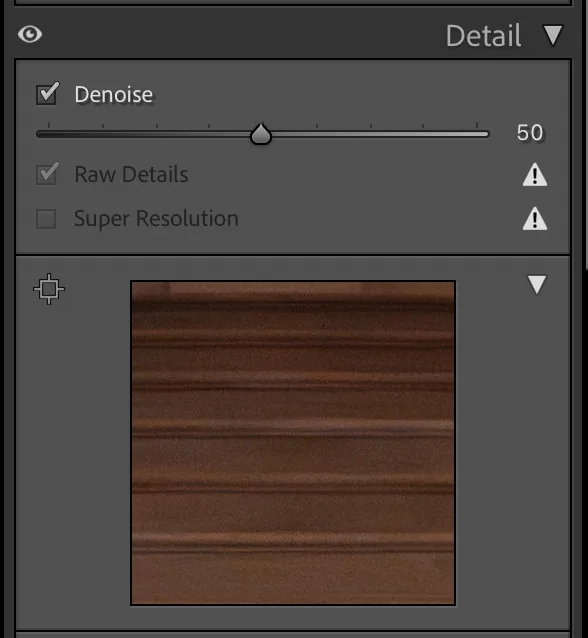
1) Cleaning up noise in low light (AI Denoise).
How: When I shoot a dim conference room, an evening event that required 6400 ISO, I use Lightroom’s AI Denoise to remove the grain.
Why I use it: It rescues detail that would otherwise be lost to noise, so a dark venue still produces clean, professional frames.
Why it’s fair: It doesn’t change what’s in the photo - it only makes the real content cleaner. And it runs entirely on my own computer’s graphics card; your high-ISO frames never leave my machine to be processed.
2) Targeting my edits precisely (AI masking / selection).
How: To brighten a face, lift a shadow, or balance a bright window against a dark interior, I use Lightroom’s AI selection tools to isolate exactly the area I want to adjust.
Why I use it: It lets me make the same adjustments I’d make by hand - but faster and more precisely, so the lighting in your images looks natural and how I intended it.
Why it’s fair: It only helps me target edits I was already going to make; it adds nothing to the frame and invents nothing. On my desktop this analysis also runs locally on my own graphics card - the image isn’t sent anywhere.
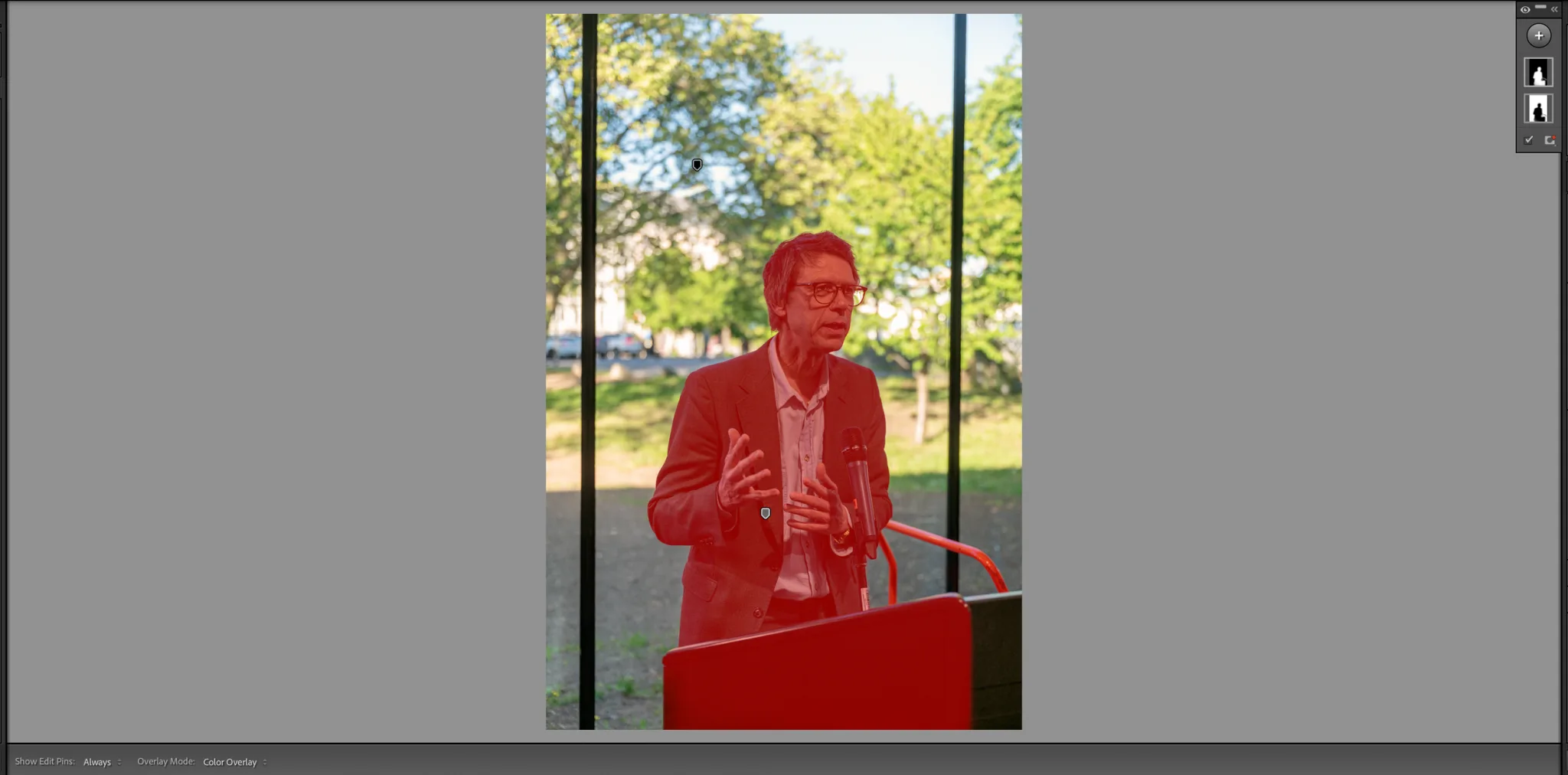
Lightroom creating a mask for the subject (it usually nails it) which helped me to align the hard summer sun with the indoor darkness (since this was a panel discussion I did not want to use flash to disturb everybody for 1.5 hours). The whole analysis of what the subject actually is is done on the graphics card of my iMac.
3) Natural skin and portrait retouching (Retouch4me).
How: For portraits and headshots, I use the Retouch4me plugins for skin and eyes - and I run them in their installed, offline mode, with nothing uploaded to any cloud.
Why I use it: It handles the tedious, repetitive retouching reliably and naturally, so I spend my time on the parts that need judgement rather than pixel-by-pixel cleanup.
Why it’s fair: I keep it natural - no reshaping people into someone they aren’t, no fabricated “perfection.” It’s the digital equivalent of good lighting and a tidy collar. And it runs entirely on my own machine. (Retouch4me also offers a cloud option; I deliberately don’t route identifiable client portraits through it.)
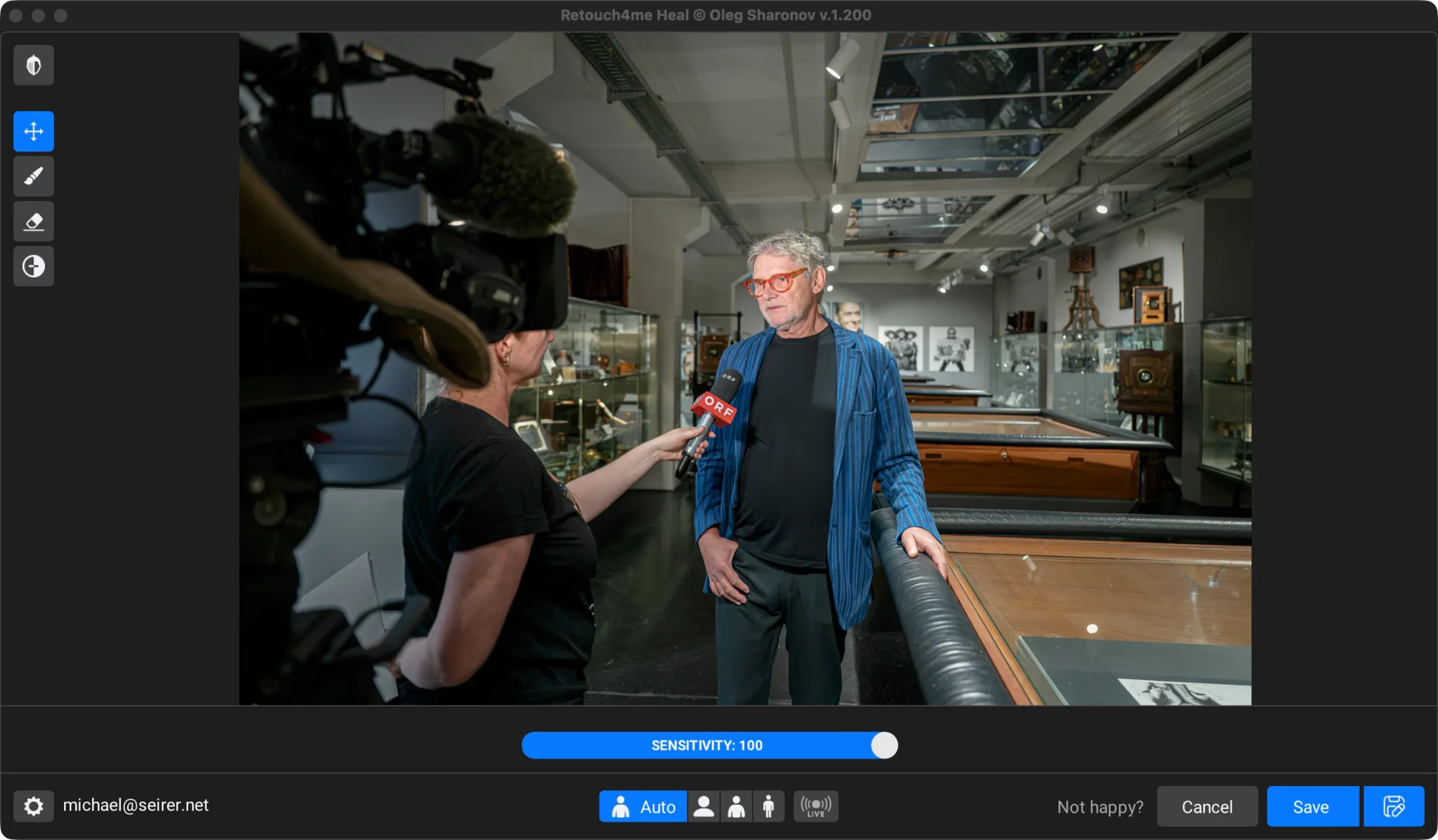
Retouch4Me Heal - though I use it via a self-made PhotoShop Action via an Adobe Bridge automation
4) Removing small distractions (content-aware first, generative rarely).
How: In architecture and interior work especially - and occasionally at events - I remove small, unwanted objects: a stray cable, a bin, a dark spot on the pavement. My first tool for this is Photoshop’s Content-Aware Fill, which runs entirely on my own machine. Only rarely, when that can’t do the job cleanly, do I reach for a generative fill.
Why I use it: These are distractions that pull the eye away from the subject and that I couldn’t always move on the day. Removing them gives you a clean, professional final image.
Why it’s fair - and where I draw a hard line: I use this only for minor, non-essential objects - never to add anything that wasn’t there, never to alter what actually happened, and never on people’s faces or anything that identifies someone. The content-aware tool I use most stays on my own computer. The rare generative step is the one place a tool may process in the cloud (Adobe’s generative features run on their servers, which Adobe states are used only to produce the result, then purged, and never to train on customer content). That’s precisely why I keep it restricted to anonymous objects like cables and bins - your team’s faces never go near it.
And the big one I don’t automate choosing your photos
Across my industry, the most popular use of AI is culling - letting software pick the keepers out of thousands of frames. The tools promise to cut selection time by 80% or more. I’ve tested them, repeatedly, over the past few years.
I still do it by hand, using Photo Mechanic, the same way I have for the last decade. This ancient tool is, in my opinion, still the best way to select photos in a fast and precise way.
Not out of stubbornness - I keep re-evaluating these tools every few months, since advances in AI are astonishing - but because none of them has yet matched my own eye for the frame: the one where the expression, the timing, and the light all land at once. Choosing which photographs you actually receive is the heart of what you’re paying me for, and until an AI can do it better than I can, it stays my job. I’d rather spend a few extra hours than hand you a gallery a machine picked.
I am fully transparent so you know exactly where the line is. I use AI for the tedious, mechanical work - and I keep the judgement calls human.
How this plays out across the kinds of work I do
- Events (conferences, corporate): low light is the constant challenge, so noise cleanup (1) and precise lighting adjustments (2) do the heavy lifting. Rarely a stray distraction gets cleaned up (4). The selection of which moments make the gallery is entirely mine.
- Portraits & headshots: natural retouching (3) plus targeted lighting adjustments (2). Never reshaping, never fabricating.
- Architecture & interiors: distraction removal (4) to clear cables, bins, and signage, noise cleanup (1), and targeted adjustments to balance interior and window light (2). The building you see is the building that’s there.
Now, the part most photographers skip: your data
Here’s where my background helps you. Before photography, I spent years in software and business informatics. I know what these tools do under the hood - and crucially, I know the difference between a tool that processes your photos on my own computer and one that ships them off to a server somewhere.
That difference matters enormously under the GDPR, because a photograph of an identifiable person is personal data. Your team’s faces, your event, your people - that’s data I’m responsible for protecting.
So here’s my standard: all the AI editing of your images happens locally, on my own machine. Your photos aren’t uploaded to a third-party AI service to be selected or edited, and they’re not quietly used to train somebody’s model.
One step that isn’t local - and I’d rather tell you than gloss over it: delivery
To hand your finished gallery over, I host it on SmugMug, a professional gallery platform. That means your final images are stored on SmugMug’s servers, which are in the US - so I won’t pretend your photos “never leave the EU,” because at the delivery stage they do. What I can tell you is that I’ve chosen a platform that handles this properly: SmugMug acts as my data processor under a GDPR Article 28 agreement, uses the EU-approved transfer safeguards (Standard Contractual Clauses and the EU–U.S. Data Privacy Framework), and maintains an EU representative. And because I control the account, deleting your gallery on request is something I can actually do - and verify.
The honest summary: the editing never leaves my machine; the delivery goes through a vetted, contractually-bound processor; and at every step you can ask me exactly where your images are and have them removed.
If you prefer your data never reaches any US server, I happily provide my photos via EU GDPR compliant servers in Switzerland or even just drop by (if you are in Vienna) and hand you over the data directly. Just call me and we make something happen.
Why I’m telling you all this
Trust is the reason. You’re letting me into your event, your boardroom, let me photograph your team’s faces. The photographs matter, but so does what happens to them afterward. Using AI well - for the boring parts, never the dishonest ones, and never for the judgement that’s the core of the job - lets me give you faster delivery, more consistent galleries, and cleaner images, while keeping your data handled the way the law and plain decency both require: edited on my own machine, delivered through a vetted processor, and removable on request.
That’s the deal. Real photographs, made cleaner by good tools, with the creative choices kept human and your privacy treated as part of the job rather than an afterthought.
If you’ve got questions about any of this - including the technical and data side - ask me. It’s one of the few photography topics I can answer as a former software developer as well as a photographer.
Disclaimer to consider including: “This article describes my own practices and reflects general information about the GDPR, not legal advice. For your organisation’s specific obligations, consult a qualified data-protection advisor.
The in-depth Guide
You can find comprehensive, in-depth information on a wide range of additional topics in my Guide section.
- Multi-Platform Visual Strategy: How to Maximize ROI from One Corporate Photography Session
- Great Event, Disappointing Photos? I Can Fix That
- How to Spot a Good Event Photographer: 11 Signs That Actually Matter
- How to Justify Hiring a Professional Event Photographer to Your CFO
- Who owns the photos? A Client’s Guide to Copyright and Usage Rights in Event Photographys
- The Essential Conference Photography Shot List Your Marketing Team Actually Needs
- The 5 Biggest Event Photography Mistakes (And How to Avoid Them)
- Why Cultural Institutions Need a Specialized Event Photographer